
Choose the version
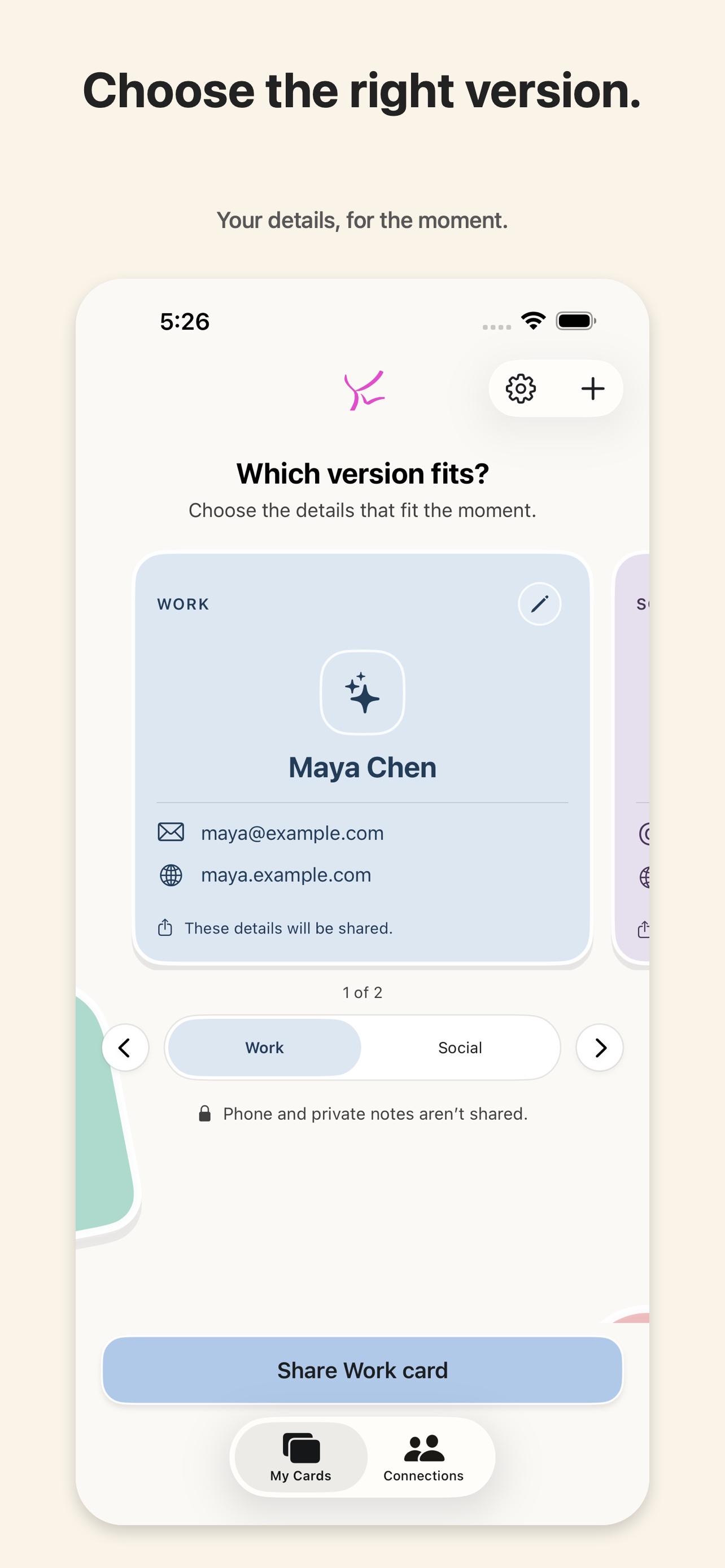
Swipe through My Cards to choose the right context. Each card has its own details, symbol, and palette; selecting a card does not share it.
KWIP Apps · iPhone · Version 1.1.0
Make a different card for work, friends, or events. Share only what fits the moment. New in 1.1: remember why you met, group connections by occasion, and keep a private note of what you said you would do next.
Two cards free. Unlimited cards are a $7.99 one-time unlock. No subscription.
Build a Work card, a Social card, an Events card, or whatever the moment calls for. Each card includes only the fields you choose.
Swipe through My Cards to choose the right context. Each card has its own details, symbol, and palette; selecting a card does not share it.
Search received cards in Connections. Collect new connections into a private occasion, then move them later if a different group fits better.
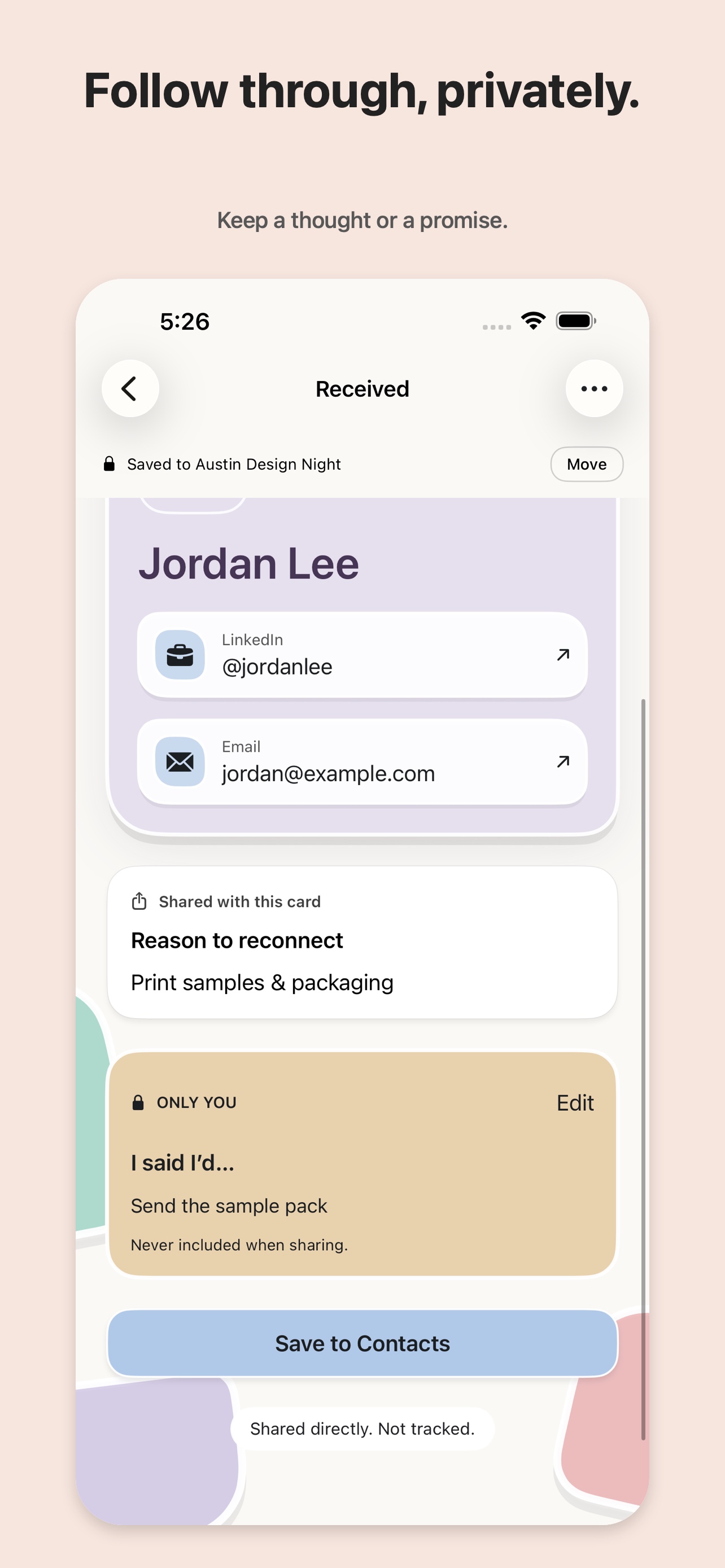
Keep an “I said I’d…” note beside a connection. It stays yours, separate from the card and anything shared with the other person.
Kwip Contacts keeps the common paths close: show, scan, exchange, save.
Open the version of yourself that belongs in this moment.
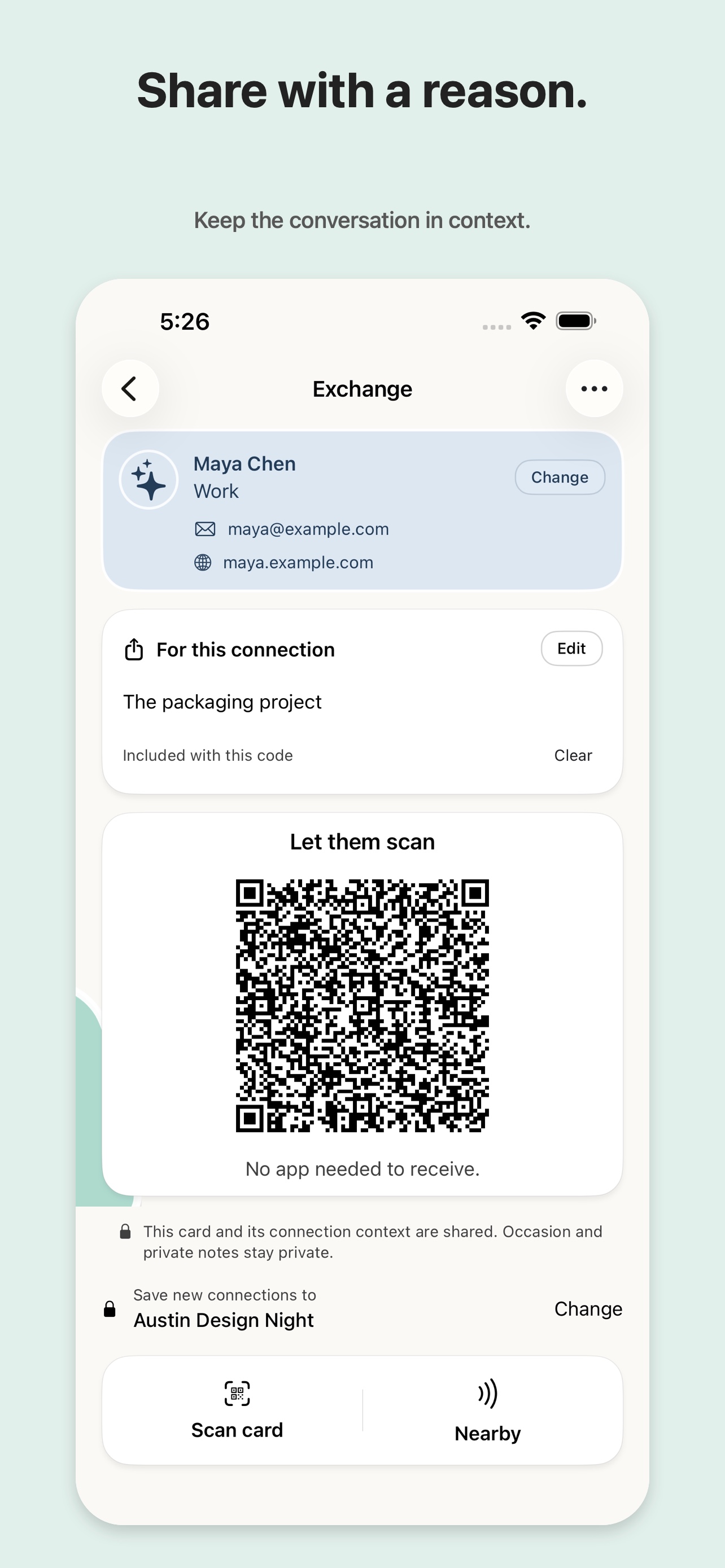
Optionally add a reason to reconnect and a link, then show your encrypted card QR. A recipient without the full app can preview through an App Clip.
Choose Nearby on both phones, compare the four-digit code, and approve on both devices before the selected cards move.
The recipient can reopen the snapshot, use its links, and choose whether to add it through Apple’s Contacts editor.
Choose your card, share the context, and keep the next step close. Actual screens from Kwip Contacts 1.1.
Kwip Contacts has no account, hosted profile database, advertising SDK, or behavioral analytics SDK. Your cards, received history, private occasions, and follow-up notes stay on your iPhone. Occasions and private notes are never included when sharing a card.
Contacts, Camera, and Local Network access are requested only when you choose the feature that needs them. KWIP does not receive your card contents, contact handles, or exchange history.
A shared card is an immutable snapshot: it cannot be silently updated or revoked after another person receives it. Read the complete privacy policy.
Create, customize, share, receive, reopen, export, and delete without paying. A single lifetime purchase unlocks unlimited cards and is eligible for Apple Family Sharing.