
Find it without losing your place
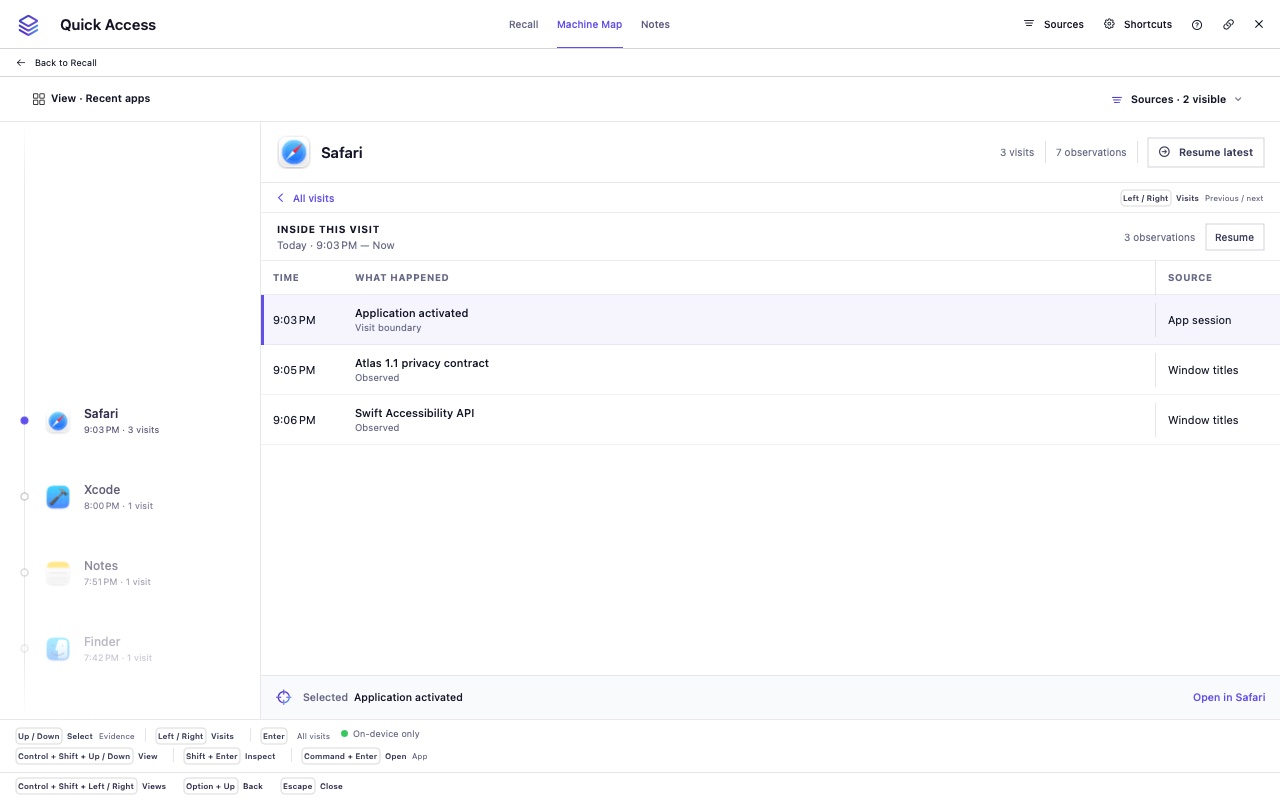
Recall, Machine Map, Content, Nearby, and History share one panel. Use supported time phrases, inspect the parsed filters, and save searches for later.
KWIP Apps · Mac · Version 1.3.0
Find a moment. Follow the work around it. Atlas 1.3 brings search, nearby evidence, and resource history into Quick Access, then helps you return with a Workspace brief and destinations you review. Your memory stays on your Mac; you choose what Atlas collects.
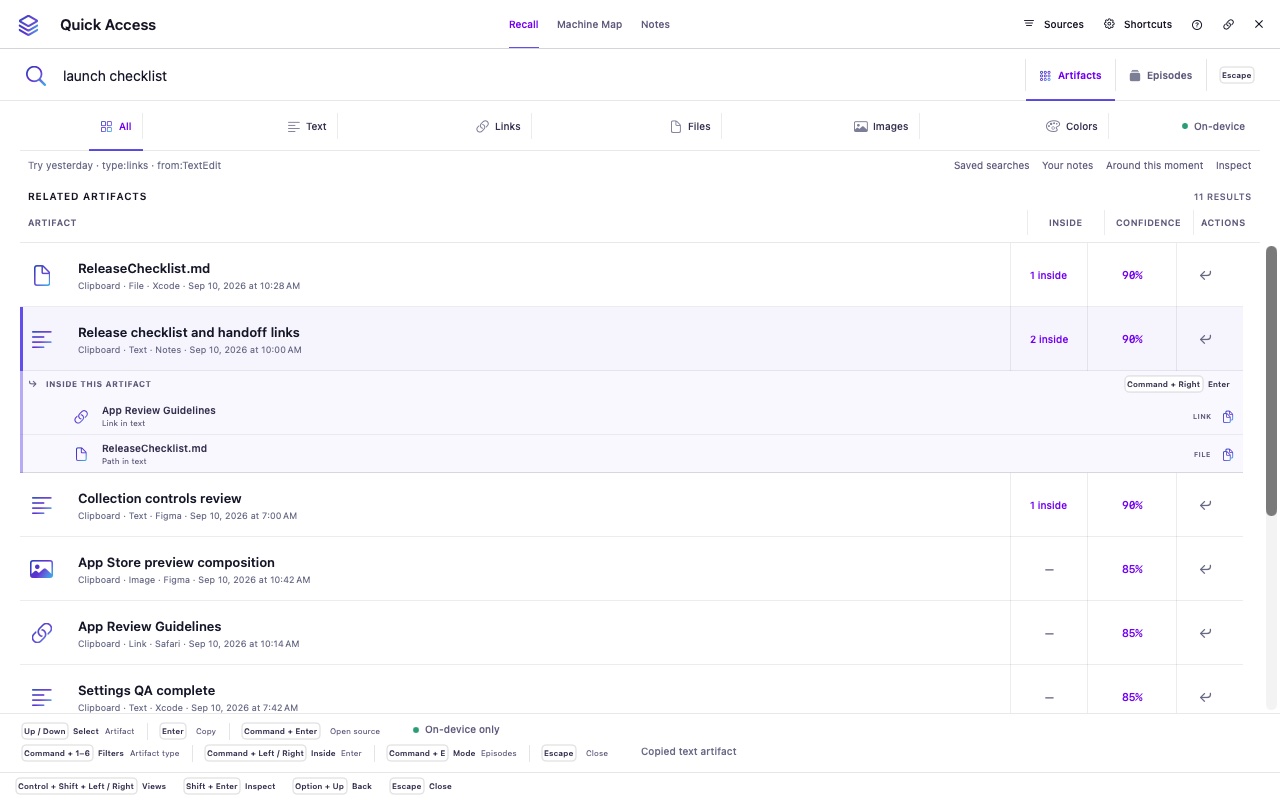
01 · The missing path
It is the document it came from, the related link, the note you made next, and the work you were trying to finish.
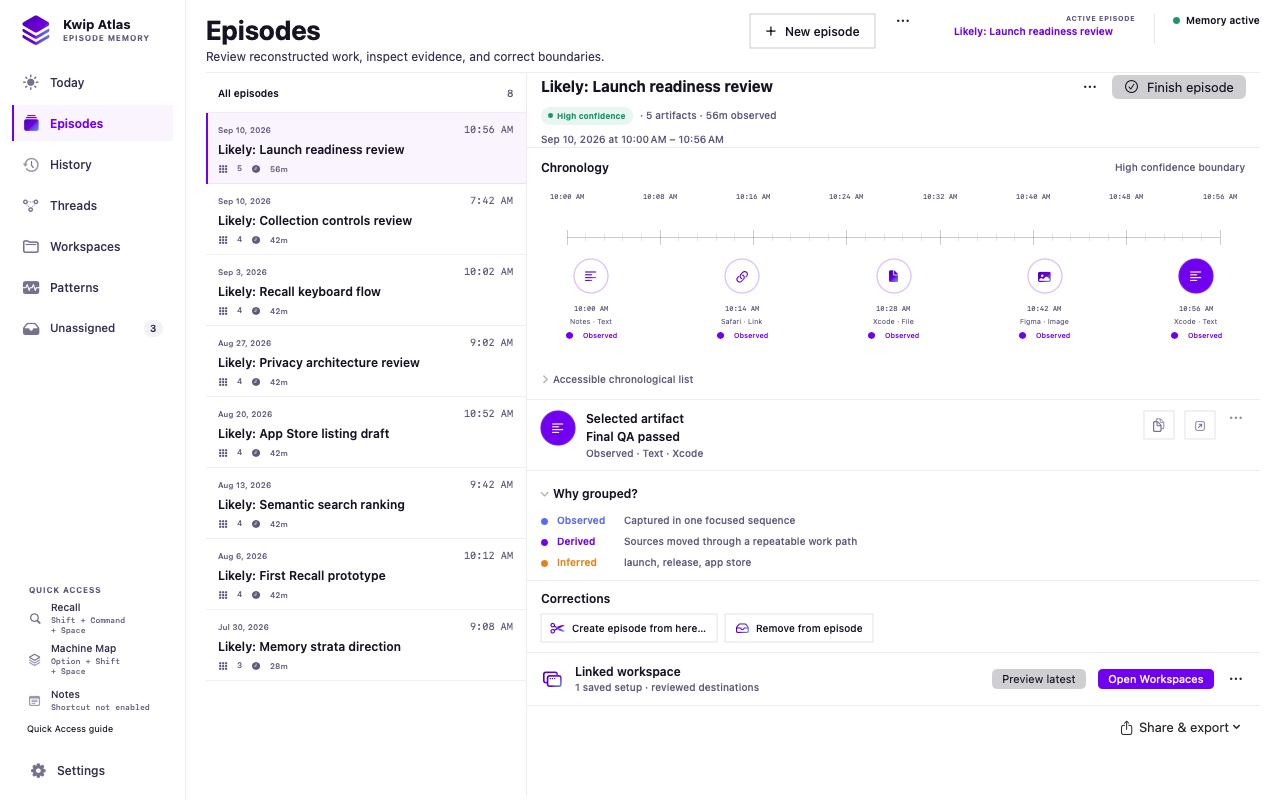
Atlas is designed around context recovery: bringing those intentional artifacts back together as an evidence-based episode you can inspect and edit.
02 · Inside Atlas
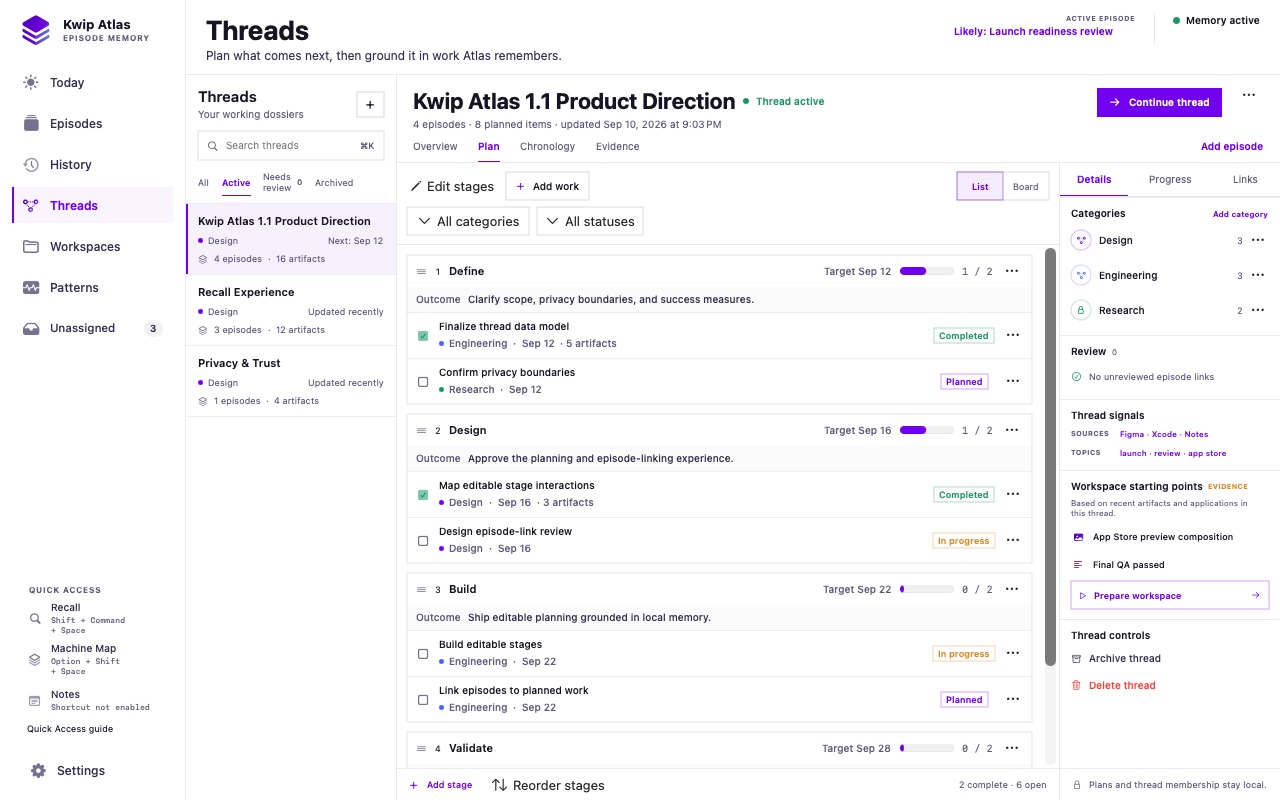
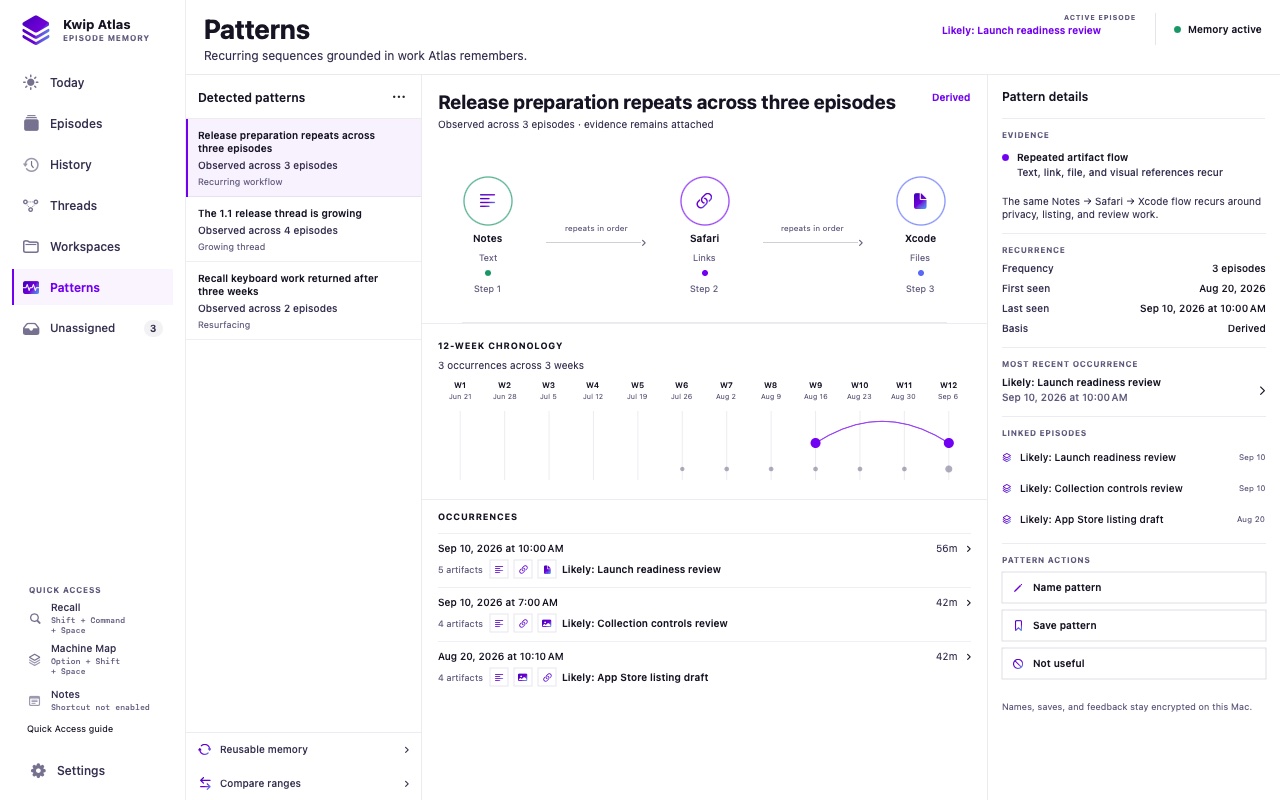
03 · New in 1.3
Recall, Machine Map, Content, Nearby, and History share one panel. Use supported time phrases, inspect the parsed filters, and save searches for later.
Inspect nearby observations and a resource’s retained history. Add notes and Thread milestones, or shape a Thread or Workspace timeline with editable rules. Nearby does not automatically mean related.
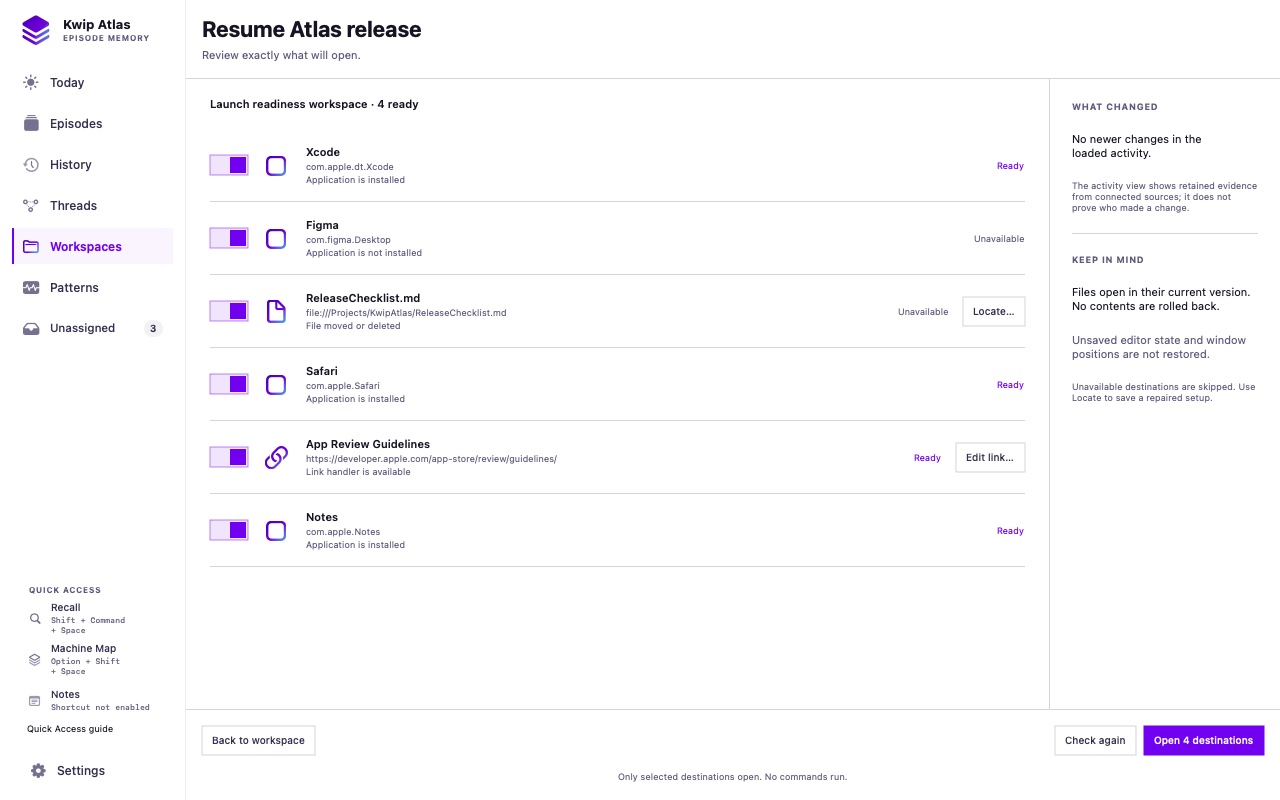
Read a return brief, choose a comparison baseline, and leave a pick-up note for later. Review destinations, repair stale locations, and retry unresolved items. Supported Obsidian links open existing notes or headings.
04 · The loop
Choose clipboard capture, application sessions, visible-window names, and selected folders in Settings. File-detail extraction is a separate choice. The master pause stops every enabled source together.
Related evidence becomes an editable account of the work around that moment, with uncertainty left visible.
Review a Workspace’s apps, files, and links before reopening selected destinations. Atlas opens current files; it does not roll back their contents or restore unsaved application state.
05 · Private by design
Available on the Mac App Store
Start free with one complete Workspace, one Thread, and one visible qualified Pattern when evidence supports it. Pro adds collection capacity. Existing Threads and Workspaces stay accessible and editable after a subscription ends; privacy controls and complete raw-data export remain free.